
Best Voice Acting Software For Creators
Voice acting software has changed the way people make digital content, podcasts, animation, and audiobooks. Whether your goal is to sound like a seasoned narrator, bring cool characters to life, or scrub up your podcast audio, the right tools make a real difference for anyone just starting or wanting to take their projects up a notch. I’ve spent plenty of time checking out different voice acting tools, and I’m ready to break down what’s out there and what matters most if you want your work to stand out.
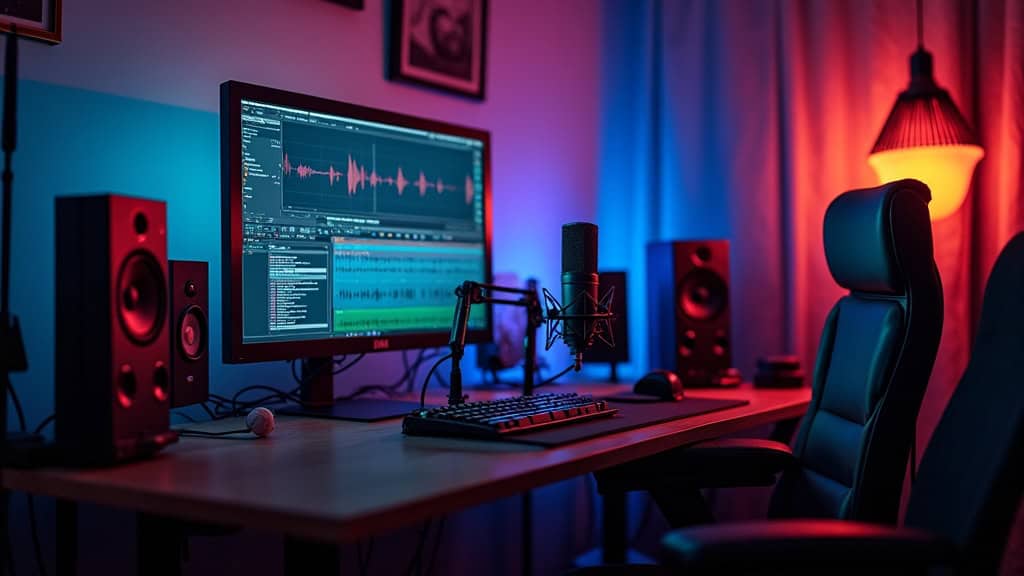
The global voice software market continues to grow as remote work, digital content creation, and online education expand. Staying familiar with the latest tools helps you produce audio that sounds polished, fresh, and uniquely yours. Whether you’re a beginner or a seasoned creator, understanding how these tools work gives you a major advantage in today’s competitive content landscape.
What Voice Acting Software Actually Does
Voice acting software helps creators:
- Record clean, high‑quality audio
- Edit and enhance voice tracks
- Apply effects for characters or storytelling
- Generate synthetic voices
- Clone voices for consistent narration
- Remove background noise automatically
- Mix multiple tracks for complex scenes
Creators use these tools for animation, YouTube videos, gaming, audiobooks, online courses, and fictional podcasts. Some creators even produce entire casts using just one microphone and the right app.
Top Voice Acting Software for Creators
Here’s a curated list of the most reliable and innovative tools available today, each suited for different creative needs. I’ve also included Amazon affiliate links to products that pair well with these tools — perfect for beginners upgrading their setup.
Adobe Audition
A flexible, professional editor for recording, multitrack mixing, and voice cleanup. Ideal if you already use Adobe apps.
Audacity
Free, open‑source, and beginner‑friendly. Great for basic recording, cutting, and effects.
Voicemod
Real‑time voice effects perfect for gaming, streaming, and character creation.
Descript
Transcribes your audio instantly and lets you edit it like a document. Includes “Studio Sound” for automatic cleanup and AI voice generation.
Murf AI
A leading text‑to‑speech platform with lifelike voices for explainer videos, e‑learning, and narration.
Resemble AI
Advanced voice cloning and AI dialogue creation. Popular for audio dramas and custom voice assistants.
Nectar 4 Elements (iZotope)
Enhances clarity, warmth, and tone. Great for polishing your final voice track.
Synthesys
Cloud‑based voice generation in 140+ languages. Excellent for storytelling and global content.
Speechelo
Simple text‑to‑speech with natural tones — perfect for YouTube intros and promotional videos.
Recommended Gear (Amazon Affiliate Links)
These products help you get cleaner recordings and better results with any software:
- Audio-Technica AT2020 Microphone — A reliable, studio‑quality mic for voice acting.
- Neewer Pop Filter — Helps reduce harsh “P” and “B” sounds for cleaner audio.
- Sony MDR‑7506 Headphones — Industry‑standard monitoring headphones for accurate playback.
. Staying familiar with the latest tools helps you produce audio that sounds polished, fresh, and uniquely yours. Whether you’re a beginner or a seasoned creator, understanding how these tools work gives you a major advantage in today’s competitive content landscape.
What Voice Acting Software Actually Does
Voice acting software helps creators:
- Record clean, high‑quality audio
- Edit and enhance voice tracks
- Apply effects for characters or storytelling
- Generate synthetic voices
- Clone voices for consistent narration
- Remove background noise automatically
- Mix multiple tracks for complex scenes
Creators use these tools for animation, YouTube videos, gaming, audiobooks, online courses, and fictional podcasts. Some creators even produce entire casts using just one microphone and the right app.
Top Voice Acting Software for Creators
Here’s a curated list of the most reliable and innovative tools available today, each suited for different creative needs. I’ve also included Amazon affiliate links to products that pair well with these tools — perfect for beginners upgrading their setup.
Adobe Audition
A flexible, professional editor for recording, multitrack mixing, and voice cleanup. Ideal if you already use Adobe apps.
Audacity
Free, open‑source, and beginner‑friendly. Great for basic recording, cutting, and effects.
Voicemod
Real‑time voice effects perfect for gaming, streaming, and character creation.
Descript
Transcribes your audio instantly and lets you edit it like a document. Includes “Studio Sound” for automatic cleanup and AI voice generation.
Murf AI
A leading text‑to‑speech platform with lifelike voices for explainer videos, e‑learning, and narration.
Resemble AI
Advanced voice cloning and AI dialogue creation. Popular for audio dramas and custom voice assistants.
Nectar 4 Elements (iZotope)
Enhances clarity, warmth, and tone. Great for polishing your final voice track.
Synthesys
Cloud‑based voice generation in 140+ languages. Excellent for storytelling and global content.
Speechelo
Simple text‑to‑speech with natural tones — perfect for YouTube intros and promotional videos.
Recommended Gear (Amazon Affiliate Links)
These products help you get cleaner recordings and better results with any software:
- Audio-Technica AT2020 Microphone (amazon.com in Bing) — A reliable, studio‑quality mic for voice acting.
- Neewer Pop Filter (amazon.com in Bing) — Helps reduce harsh “P” and “B” sounds for cleaner audio.
- Sony MDR‑7506 Headphones (amazon.com in Bing) — Industry‑standard monitoring headphones for accurate playback.
How to Choose the Right Software for Your Style
Your ideal tool depends on your project, budget, and comfort level with technology.
Project Type
- Audiobooks → Adobe Audition or Audacity
- Character voices → Voicemod
- Text‑based narration → Murf, Synthesys, Speechelo
Ease of Use
Descript and Speechelo are great for beginners who want simple, drag‑and‑drop editing.
AI Features
If you want voice cloning or text‑to‑speech, Murf, Resemble, and Synthesys are top choices.
Sound Quality
Nectar Elements adds professional polish with presets that brighten, warm, or clean your audio.
Compatibility
Make sure your tool exports WAV or MP3 so you can use your audio across different devices and platforms.
Common Challenges (and How to Fix Them)
Background Noise
Record in a padded space or closet. Tools like Descript and Nectar remove noise with one click. A pop filter and a good mic also help tremendously.
Robotic AI Voices
Choose neural or deep‑learning voices from Murf, Synthesys, or Resemble. Always listen to samples before committing.
Cost
AI platforms often charge monthly or per minute. Check pricing before long‑form narration.
Legal Restrictions
Always check licensing terms for commercial use, especially with voice cloning.
Learning Curve
Adobe Audition is powerful but complex. Tutorials and forums help you learn faster.
Advanced Tips to Level Up Your Voice Projects
- Experiment with effects — Pitch, echo, and reverb create unique characters.
- Layer tracks — Stacking takes adds depth for audio dramas.
- Voice cloning — Keep your narrator consistent across languages.
- Script editing — Descript lets you fix lines without re‑recording.
- Atmospheric layering — Add subtle background ambience to make scenes feel alive.
These techniques help you produce richer, more immersive audio while saving time.
Real‑World Uses: Where Voice Software Shines
- Animation & Cartoons — Solo creators can voice entire casts.
- Podcasts & Audiobooks — Clean outdoor clips or replace missing lines with AI.
- Online Courses — Teachers use AI voices to reach global audiences.
- Livestreaming & Gaming — Real‑time effects keep streams fun and engaging.
Mixing different tools gives you flexibility and helps you appeal to a wider audience.
Frequently Asked Questions
Which software is easiest for beginners?
Descript and Audacity.
Can AI voices be used commercially?
Yes — but always check licensing terms.
How do I make home recordings sound professional?
Record in a quiet space, use a pop filter, and apply noise reduction.
Affiliate Disclaimer
This article contains Amazon affiliate links. As an Amazon Associate, I earn from qualifying purchases — at no extra cost to you. These links help support the site and allow me to keep creating helpful content for creators.
Wrapping Up
Voice acting software opens the door to endless creative possibilities. Whether you’re building characters, narrating stories, or producing polished audio for YouTube, there’s a tool that fits your workflow. Experiment with free versions, try new effects, and refine your process — your unique sound will develop naturally over time.